
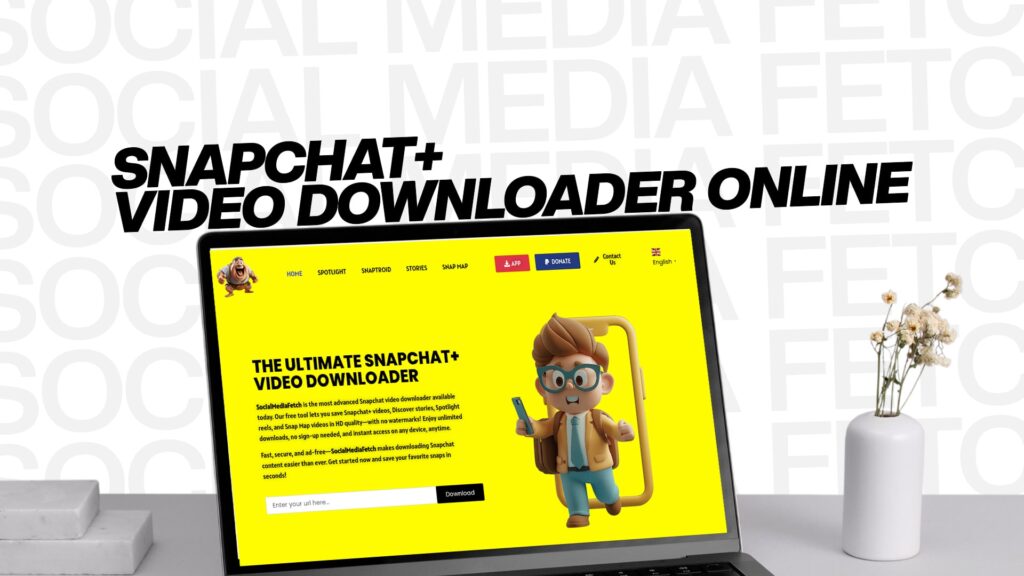
Snapchat has become one of the most popular social media platforms where millions of people share their daily moments through videos and photos. However, Snapchat is designed in a way that makes it difficult to save content. The platform automatically deletes messages and stories after a short time, which can be frustrating if you want to keep memories or save important content for later viewing.
This is where a Snapchat+ video downloader comes into play. SocialMediaFetch is the most advanced Snapchat video downloader available today. It lets you save Snapchat Spotlight, Stories, Snap Map, and many more types of content with just a few simple clicks. Whether you want to preserve special moments or collect content for personal use, SocialMediaFetch makes the process straightforward.
What is a Snapchat Video Downloader?
A Snapchat video downloader is a tool or application that allows you to download and save videos from Snapchat to your device. These tools work by accessing Snapchat content and converting it into a format that you can store on your phone, tablet, or computer.
Unlike the native Snapchat application, which automatically deletes content after it is viewed, a video downloader gives you the freedom to keep videos permanently. This is particularly useful if you want to preserve memories, save funny moments, or keep important messages that you might want to refer to later.
The best Snapchat video downloaders are designed to be user-friendly, fast, and reliable. They should work smoothly without causing any technical issues or requiring complicated steps. SocialMediaFetch is exactly that kind of tool. It has been developed with simplicity in mind, making it perfect for both beginners and experienced users.
Why Do You Need a Snapchat Video Downloader?
There are many reasons why someone might want to download videos from Snapchat. Let’s explore some of the most common reasons:
Preserving Memories
Life’s beautiful moments often come unexpectedly. Your friends might send you funny videos, heartwarming messages, or important announcements through Snapchat. Since Snapchat deletes content after viewing, these moments can be lost forever. By using a video downloader like SocialMediaFetch, you can preserve these precious memories and watch them whenever you want.
Saving Important Information
Sometimes people share important information through Snapchat videos. This could be instructions, tutorials, announcements, or other content that you might need to refer to later. Having the ability to download and save these videos means you won’t miss out on important details.
Creating Content Collections
Many people like to collect interesting content they find on Snapchat. This could include funny videos, inspirational content, or videos from creators you admire. A Snapchat video downloader makes it easy to build a personal collection of your favorite videos.
Offline Viewing
Snapchat requires an internet connection to work properly. If you download videos from Snapchat, you can watch them later even when you don’t have internet access. This is particularly useful when traveling or in areas with poor internet connectivity.
Sharing with Others
While Snapchat is designed to be ephemeral, sometimes you want to share videos with people who are not on Snapchat or who might miss the video. Having downloaded versions allows you to share content through other platforms or methods.
Features of the Best Snapchat Video Downloader
When looking for a Snapchat video downloader, you should consider several important features. SocialMediaFetch includes all of these features and more:
Easy to Use Interface
The best video downloader should be simple enough that anyone can use it without technical knowledge. SocialMediaFetch has a clean, intuitive interface that guides you through each step. You don’t need to be a tech expert to download videos successfully.
Multiple Content Types
Different Snapchat features produce different types of content. The best downloader should support downloading from various Snapchat features, including Snapchat Spotlight, which features short-form videos from creators; Stories, which are temporary content shared with friends or public followers; and Snap Map, which combines location-based content with videos.
Fast Download Speed
Time is valuable, and you don’t want to waste it waiting for videos to download. A good Snapchat video downloader should process your requests quickly and efficiently, delivering your downloaded content in seconds rather than minutes.
High Quality Output
When you download a video, you want it to maintain good quality. The best downloaders preserve the original video quality so that you can enjoy your downloaded content without any loss of clarity or detail.
Reliable Performance
You need a downloader that works consistently without errors or failures. Whether you’re downloading one video or multiple videos, a reliable tool should work smoothly every single time.
Free or Affordable
While some advanced tools might have paid options, the best Snapchat video downloaders offer free versions that provide excellent functionality without requiring a subscription.
How to Use SocialMediaFetch
Using SocialMediaFetch is incredibly simple. The process is designed to be straightforward so that anyone can use it regardless of their technical skill level. Here’s how to download videos from Snapchat using SocialMediaFetch:
Step One: Access the Tool
First, you need to open your web browser and navigate to the SocialMediaFetch website. Make sure you are using a supported browser on your device. The tool works on computers, smartphones, and tablets.
Step Two: Copy Your Snapchat Content Link
Open the Snapchat application on your device and find the video or content you want to download. Look for the share button or link option within the Snapchat app. Copy the link to the video or story you want to download. This is usually a simple process that involves clicking a share icon and selecting copy link.
Step Three: Paste the Link
Return to the SocialMediaFetch website and look for the input box where you can paste your Snapchat link. Click on the input box and paste the link you copied from Snapchat. Make sure the link is complete and accurate.
Step Four: Click Download
Once you’ve pasted the correct link, click the download button. SocialMediaFetch will process your request and prepare the video for download. The processing usually takes just a few seconds.
Step Five: Save to Your Device
After processing is complete, you’ll see the download option. Click on it to save the video to your device. Depending on your browser settings, the video might save automatically to your downloads folder, or you might be asked to choose a location to save the file.
Step Six: Enjoy Your Downloaded Content
Once the download is complete, you can access your video anytime you want. You can watch it offline, share it with others, or store it in your personal collection.
What Types of Snapchat Content Can You Download?
SocialMediaFetch supports downloading various types of Snapchat content, making it the most versatile solution available:
Snapchat Spotlight Videos
Snapchat Spotlight is a feature where creators share short, entertaining videos. These videos can be entertaining. With SocialMediaFetch, you can download your favorite Spotlight videos to watch again and again.
Personal Stories
Your friends share personal stories on Snapchat that disappear after twenty-four hours. If you want to keep these memories, you can download them using SocialMediaFetch before they vanish.
Public Stories
Public stories are shared by users who want their content to be viewed by everyone. These often contain interesting content worth saving.
Snap Map Videos
Snap Map combines location-based content with videos. If you want to save videos from specific locations or events shared on Snap Map, SocialMediaFetch can help you download them.
Other Snapchat Content
SocialMediaFetch continues to expand its capabilities to support additional Snapchat features and content types.
Benefits of Using SocialMediaFetch
There are numerous advantages to choosing SocialMediaFetch as your Snapchat video downloader:
Completely Free Service
You don’t need to pay anything to use SocialMediaFetch. Unlike some other tools that require subscriptions or charge fees, SocialMediaFetch provides its services completely free of cost. This makes it accessible to everyone.
No Installation Required
SocialMediaFetch is a web-based tool, which means you don’t need to install anything on your device. Simply visit the website using your browser, and you’re ready to start downloading. This saves storage space and eliminates compatibility issues.
Works on All Devices
Whether you’re using a computer, smartphone, tablet, or any other device with a web browser, SocialMediaFetch works perfectly. You don’t need to worry about operating system compatibility.
Privacy and Security
Your privacy is important. SocialMediaFetch doesn’t store your personal information or the links you use. Your downloading activity remains private and confidential.
Regular Updates
SocialMediaFetch is regularly updated to support new Snapchat features and improvements. This ensures that you always have access to the latest downloading capabilities.
Customer Support
If you encounter any issues or have questions, SocialMediaFetch provides customer support to help you resolve problems quickly.
Safety and Legality Considerations
When using any video downloader, it’s important to understand the legal and safety aspects:
Respect Intellectual Property
While SocialMediaFetch makes downloading easy, remember that videos are created by people. Always respect the intellectual property rights of content creators. Use downloaded videos for personal purposes and avoid redistributing content without permission.
Check Platform Terms of Service
Snapchat’s terms of service have specific rules about downloading and saving content. Make sure you’re familiar with these rules and comply with them.
Responsible Use
Use SocialMediaFetch responsibly. Download content for legitimate personal use, and don’t use the tool for any illegal or unethical purposes.
Security Awareness
While SocialMediaFetch is safe and secure, always be cautious about the links you share and the content you download. Ensure you’re accessing authentic Snapchat content and not malicious links.
Comparison with Other Methods
You might wonder how SocialMediaFetch compares to other ways of saving Snapchat content:
Using Built-in Snapchat Features
Snapchat does offer some built-in saving features, like the ability to save stories to memories. However, these features are limited and don’t work for all content types. SocialMediaFetch provides more flexibility and broader capabilities.
Using Screenshots
Taking screenshots is possible but often results in lower quality images and doesn’t work well for videos. It’s also more time-consuming, especially if you want to save multiple videos.
Using Screen Recording
Screen recording can capture videos, but often results in large file sizes and lower quality. It’s also inefficient if you want to save multiple videos quickly.
Using Other Downloaders
While other Snapchat downloaders exist, many are outdated, contain ads, or have limited functionality. SocialMediaFetch is modern, ad-free, and regularly updated with new features.
Tips for Getting the Most Out of SocialMediaFetch
To maximize your experience with SocialMediaFetch, consider these helpful tips:
Organize Your Downloaded Videos
Create folders on your device to organize downloaded videos by category, date, or content type. This makes it easier to find videos later.
Use a reliable Internet Connection
Ensure you have a stable internet connection when downloading videos. This prevents interruptions and ensures successful downloads.
Keep Your Browser Updated
Use an updated web browser to access SocialMediaFetch. New browser versions often include security improvements and better compatibility.
Clear Your Browser Cache
Occasionally, clear your browser cache to ensure smooth operation of SocialMediaFetch and other web tools.
Share Your Experience
If you find SocialMediaFetch helpful, consider recommending it to friends and family who might benefit from its features.
The Future of Snapchat Video Downloading
As technology continues to evolve, video downloading tools will also improve. SocialMediaFetch is committed to staying ahead of the curve by:
Adding New Features
Regular updates will bring new features and capabilities to support additional Snapchat content types and functionality.
Improving Performance
Continuous optimization ensures that downloads remain fast and reliable as technology changes.
Enhancing User Experience
SocialMediaFetch listens to user feedback and makes improvements to make the tool even more user-friendly and efficient.
Maintaining Security
Security is a top priority, and SocialMediaFetch will continue implementing the latest security measures to protect user privacy.
Conclusion
SocialMediaFetch is the most advanced Snapchat video downloader available today. It lets you save Snapchat Spotlight, Stories, Snap Map, and many more types of content with incredible ease. Whether you want to preserve memories, save important information, or create a collection of your favorite videos, SocialMediaFetch provides a simple, free, and reliable solution.
The tool is designed with simplicity in mind, making it perfect for anyone, regardless of technical skill level. With SocialMediaFetch, you can enjoy the freedom to save Snapchat content and access it whenever you want, wherever you are. No complicated steps, no hidden costs, just straightforward video downloading that works.
By choosing SocialMediaFetch, you’re selecting a tool that respects your privacy, values your time, and delivers results. Start using SocialMediaFetch today and discover why it’s the preferred choice for Snapchat video downloading. Visit the platform and experience the difference that a truly advanced video downloader can make in how you save and enjoy your favorite Snapchat content.